 ZBM2 Software
 BlueShot - The
Chrono Connection
BlueShot
Lollipop USB device settings
Lollipop USB device settings
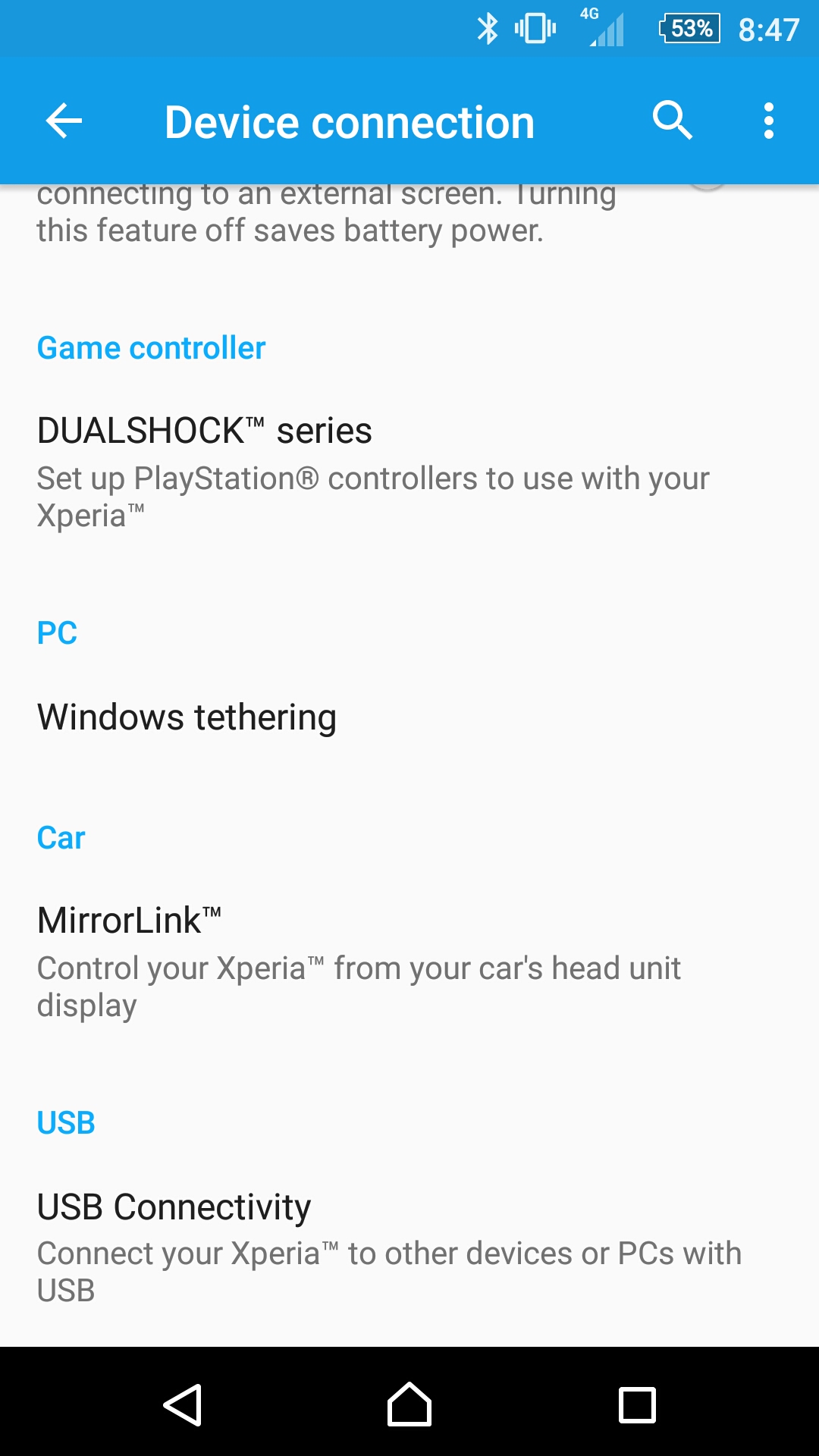
Some devices running Android Lollipop (5.1.1) have additional settings to control what devices can connect via USB - which BlueShot uses. Here is an example on a Sony Z5 running Android 5.1.1
Select Device Connection
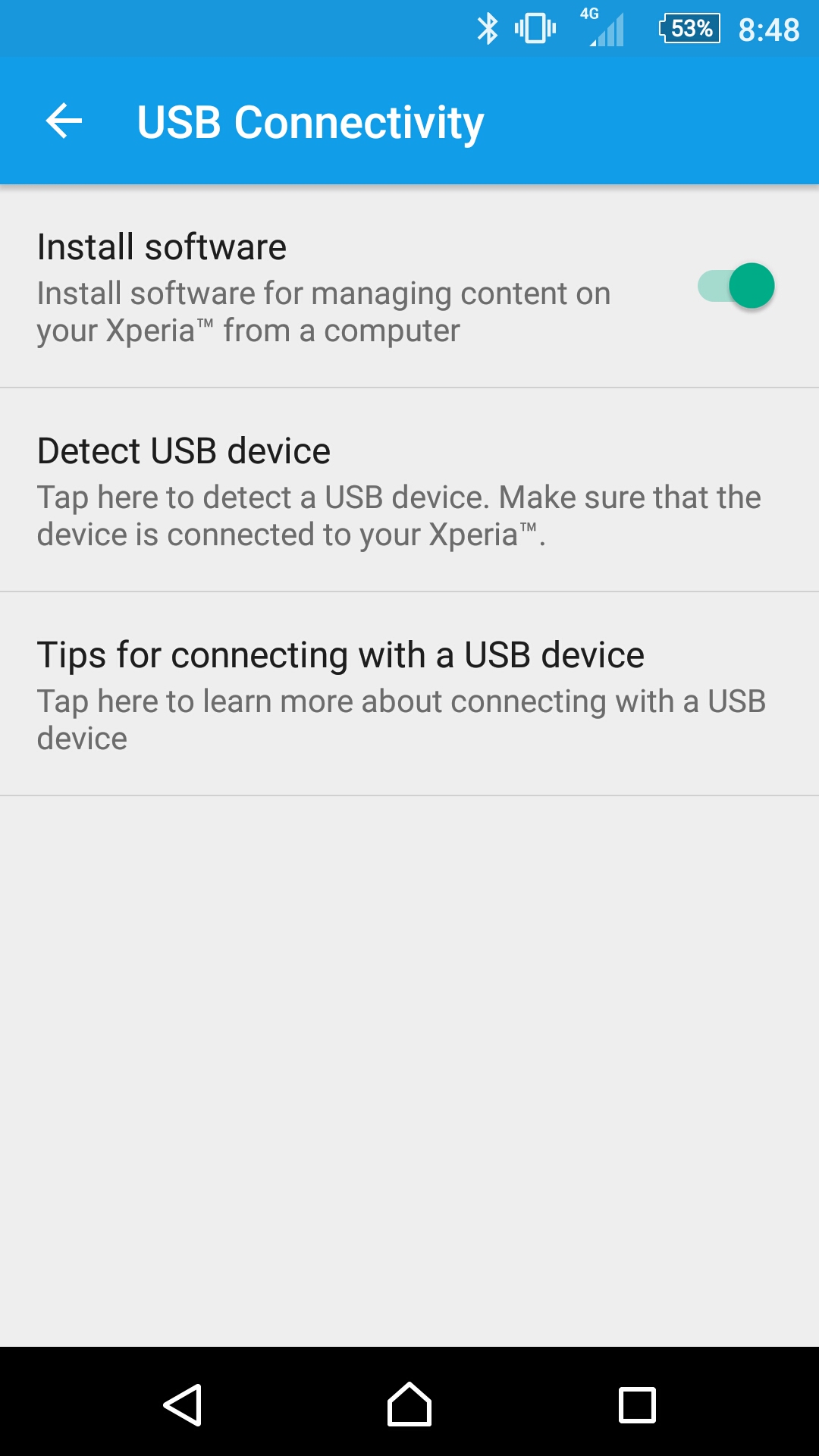
Select USB Connectivity
Select Detect USB Device
Ensure BlueShot is plugged in and select USB device.
Your phone should now correctly recognise BlueShot.
Please if you wish to check that your phone is compatible with BlueShot. Thanks.

© ZBM2 Software 2017